
PetsPlus
Pets+ gives players collectible pets that follow them, fight alongside them, and provide passive bonuses. Any entity in Hytale can be added as a pet, from standard animals like wolves and bears to large or custom entities such as dragons, all defined through configuration.
Overview
Overview
Pets+ is an advanced pet system for Hytale servers or SINGLEPLAYER with XP, leveling, combat, and configurable perks. Pets follow their owner, attack mobs when the owner punches them, and grant stat bonuses that scale with level. Players can obtain pets through admin commands or by finding pet eggs in mob drops.
You can use our Pets+ Drops mod to edit the drops easily!
Core features
Pet collection & management
- Any Entity as Pet – Add any entity as a configurable pet type (Wolf, Bear, dragon, etc.)
- Pet Eggs – Automatically generated egg items for all pet types that admins can add to mob loot tables
- Pet Redemption – Players redeem eggs by holding and right-clicking a pet egg to charge it and redeem the pet
- Pet Collection – Players can own multiple pets of the same or different types
- Pet Naming – Customize pet names through the UI
Combat & behavior
- Follow System – Pets automatically follow their owner
- Combat System – When the owner punches a mob, the pet targets and attacks it
- Attack Animations – Configurable animation duration per pet type (default: 0.8s)
- Damage Cooldown – Fixed at 1.5 seconds for balanced combat
- PVP Toggle – Per-pet configuration for whether pets can attack mobs or are purely cosmetic
- Large Pet Support – Configurable follow offset keeps big pets from clipping into the player
XP & leveling system
- XP Gain – Pets gain XP from dealing damage to mobs
- Leveling – Pets level up automatically when they gain enough XP
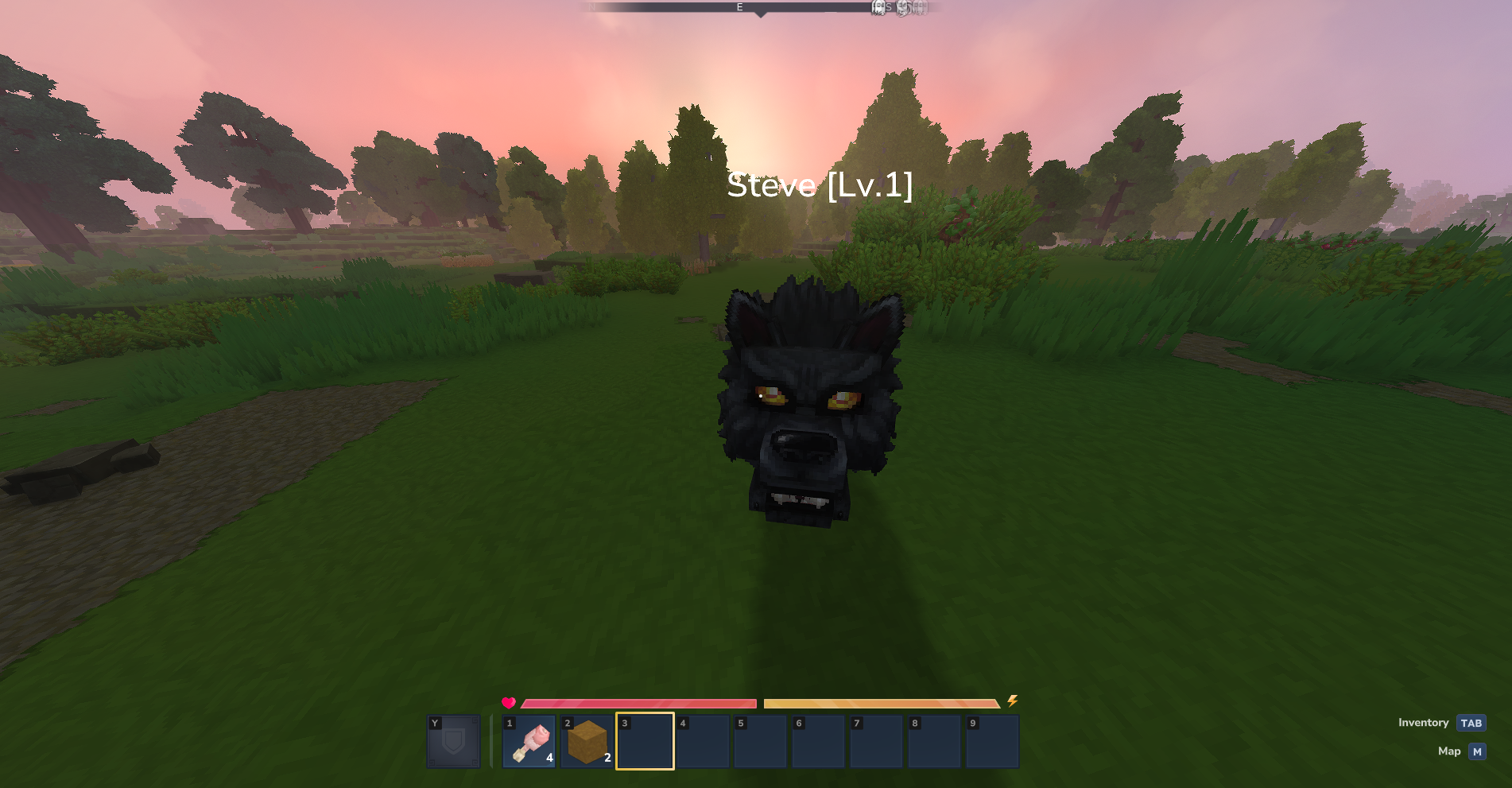
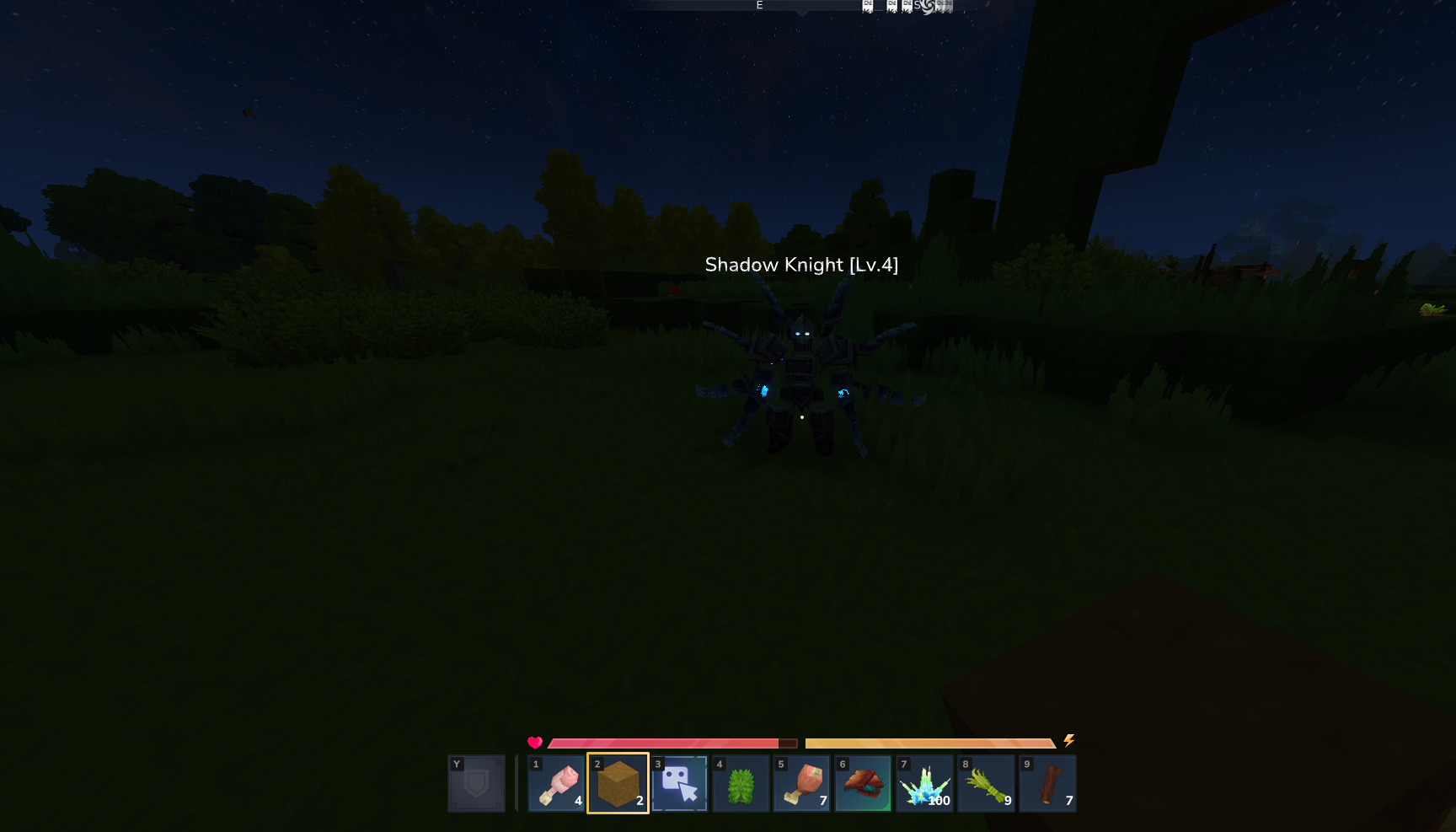
- Nameplate Display – Shows pet name and level above the pet
- XP Calculation – Configurable XP per hit or damage-based XP calculation
- XP Blacklist – Prevent pets from gaining XP from specific entity types (default: Test_Dummy, Test_Dummy_Stationary)
- XP Source Options:
- Per Hit Mode (default): Pets gain XP every time they hit a mob
- Kill-Based Mode: Pets only gain XP when entities are killed (configurable via xpOnlyOnKill)
- Owner Hit XP Mode: Option to award XP when owner hits mobs instead of when pet hits (configurable via xpFromOwnerHit)
Perks system
- 16 Available Perks: Health, Stamina, Mana, Defense, Damage, HealthRegen, StaminaRegen, ManaRegen, CriticalStrike, LifeSteal, FireImmunity, FallImmunity, Fortune, MiningSpeed, Speed, PickupMagnet
- 1. Speed
- Increases both your walking and running speed.
- 2. Mana
- Increases your maximum mana capacity.
- 3. Pickup Magnet
- Automatically pulls nearby dropped items toward you.
- 4. Health
- Increases your maximum health capacity.
- 5. Stamina
- Increases your maximum stamina capacity.
- 6. Defense
- Reduces the amount of damage you take from enemies.
- 7. Fall Immunity
- Completely removes all damage from falling.
- 8. Fire Immunity
- Protects you from damage caused by fire, lava, and magma.
- 9. Mining Speed
- Increases how fast you break blocks.
- 10. Health Regeneration
- Slowly restores your health over time.
- 11. Critical Strike
- Grants a chance to deal double damage on your attacks.
- 12. Life Steal
- Heals you by a portion of the damage you deal to enemies.
- 13. Fortune
- Grants extra drops when mining ores, crystals, and shards.
- 14. Mana Regeneration
- Slowly restores your mana over time.
- 15. Stamina Regeneration
- Slowly restores your stamina over time.
- 16. Damage
- Increases the overall damage you deal to enemies.
- Per-Level Scaling – Config.json defines how much each perk increases per level (e.g. Health +2/level, Defense +0.5%/level)
- Multiple Perks – Admins can assign one or more perks per pet type
- Scaled Bonuses – Perks scale with pet level, providing stronger bonuses as pets level up
Rarity & progression
- Rarity System – Common, Uncommon, Rare, Epic, Legendary
- Configurable Max Levels – Set different max levels per rarity (e.g. Common: 10, Legendary: 50)
- Level-Based Scaling – Pet size and damage can scale with level (configurable per pet type)
Pet customization
- Scale Configuration:
- Default scale per pet type
- Optional scale per level (checkbox)
- Scale per level value (how much to increase per level)
- Damage Configuration:
- Base damage per pet type
- Optional damage per level (checkbox)
- Damage per level value (how much to increase per level)
- Follow Offset – Configurable offset for large pets to prevent clipping
- Nameplate Options – Configure whether each pet type shows level in nametag
Death & cooldown system
- Death Cooldown – Configurable cooldown per pet type before pet can be re-summoned after death
- Cooldown Display – Players see remaining cooldown time when trying to spawn pets
- Per-Pet-Type Cooldowns – Each pet type can have its own death cooldown duration
Pet transfer system
- Transfer Pets – Players can transfer pets to other players via UI or /pets transfer command
- Level Reduction – Optional level multiplier on transfer (configurable, default: 1.0 = no change)
- Transfer Toggle – Admins can enable/disable pet transfers globally
- Permission Checks – Transfers respect pet type permissions
Player features
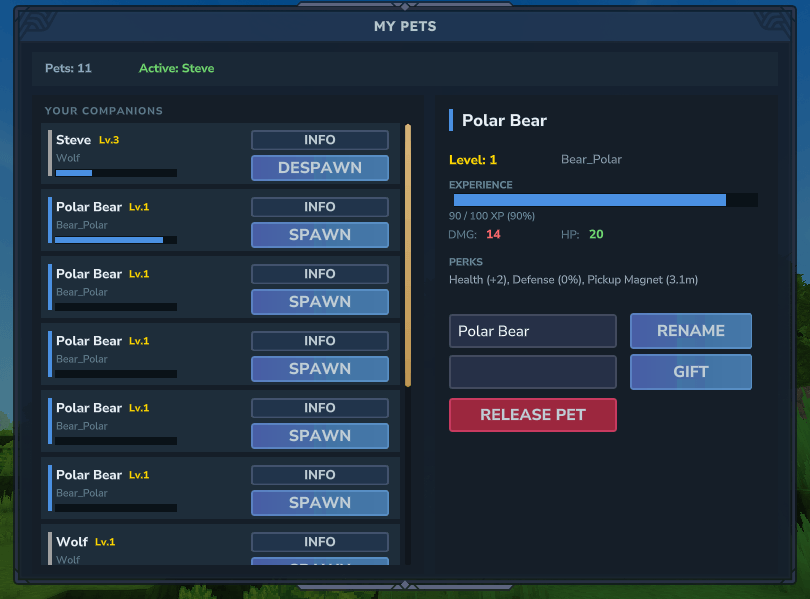
Pet management UI
- Pet List – View all owned pets with stats and information
- Spawn/Despawn – Activate or deactivate pets with one click
- Rename Pets – Customize pet names
- View Stats – See level, XP, perks and their numeric bonuses (e.g. Defense (25%), HealthRegen (1.2/s))
- Pet Details – Detailed information panel showing all pet statistics
- Transfer Interface – Easy-to-use transfer system with player name input
Pet redemption
- Egg Redemption – Hold a pet egg and right-click to charge and redeem
- Automatic Addition – Redeemed pets are added to collection at level 1
Admin features
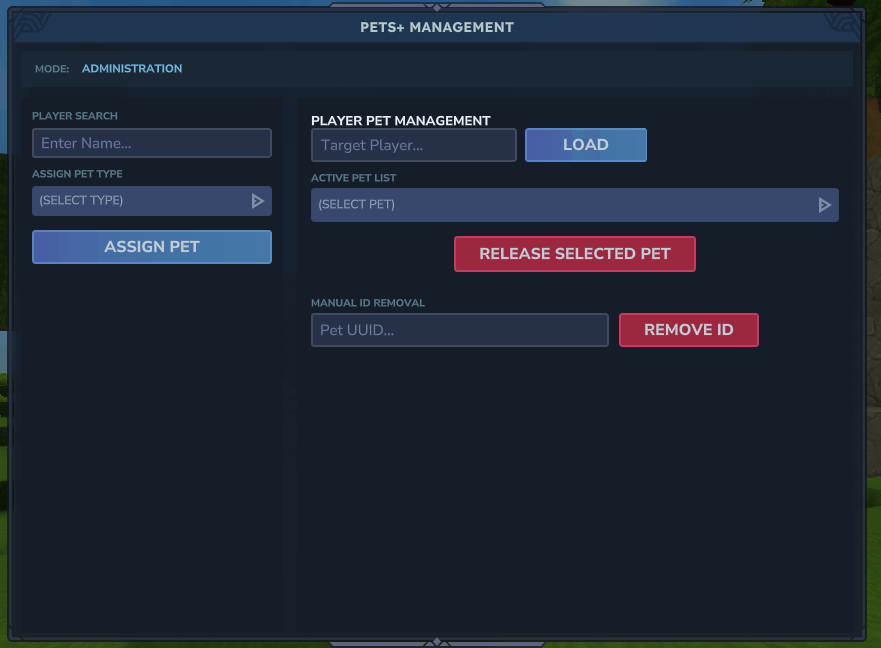
Admin UI
- Admin Panel – Access via /pets admin command
- Add Pets – Enter player name, select pet by config key (e.g. Bear_Polar1), add pets with one click
- View Player Pets – Use /pets view <playerName> to view any player's pets in read-only mode
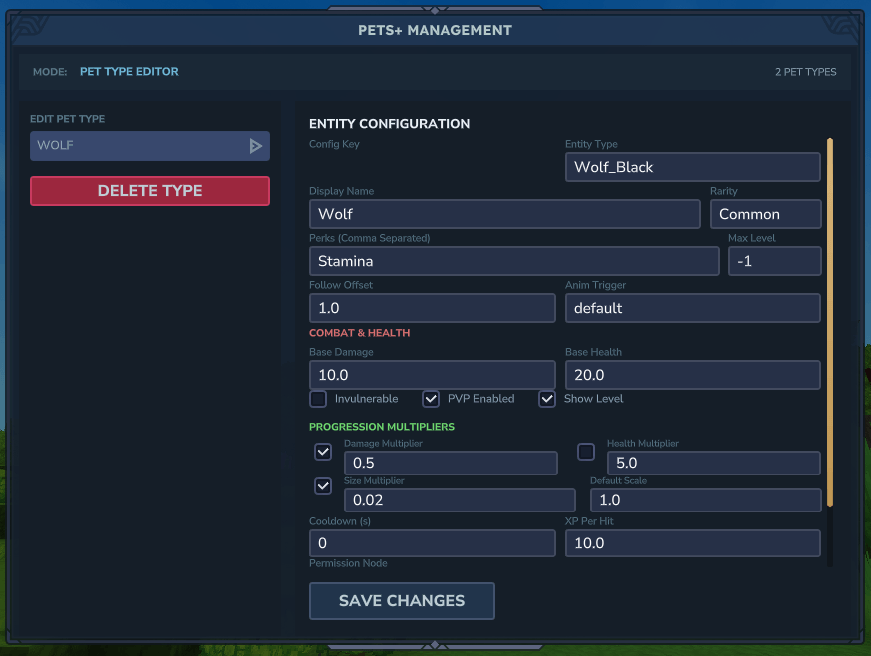
- Pet Creation – Full UI for creating and editing pet types
Pet type configuration
- Create Pet Types – Define new pet types through admin UI or config.json
- Configure Perks – Assign one or more perks to each pet type
- Set Rarity – Assign rarity level (Common, Uncommon, Rare, Epic, Legendary)
- Set Max Level – Configure maximum level per pet type
- Configure Scale – Set default scale and optional level-based scaling
- Configure Damage – Set base damage and optional level-based damage scaling
- Set Follow Offset – Configure offset for large pets
- PVP Toggle – Enable/disable combat per pet type
- Nameplate Options – Configure level display in nametag
- Death Cooldown – Set cooldown duration after pet death
- XP Per Hit – Configure custom XP amount per hit (optional)
Monitoring & logging
- Discord Webhook Integration – Real-time notifications for pet actions (redeem, delete, transfer)
- Color-Coded Events – Green for redemption, red for deletion, orange for transfer
- Detailed Logging – Webhook messages include player and pet information
- Configurable – Enable/disable via discordWebhookUrl and showLogs settings
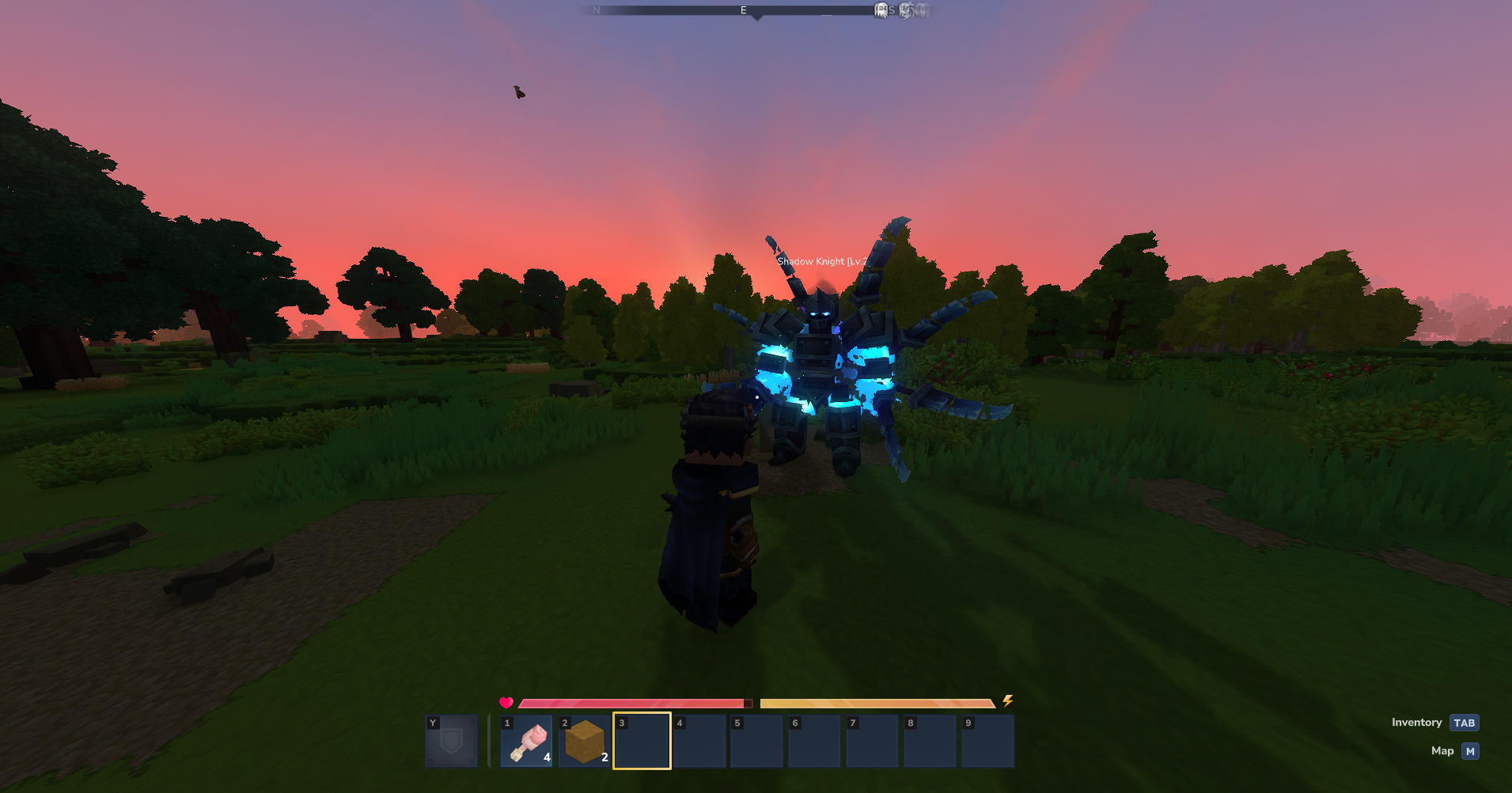
Screenshots
Installation
- Place the Pets+ JAR file into your Hytale server's plugins or mods folder (or singleplayer mods folder).
- Restart the server (or game for singleplayer) to generate the default configuration files.
- Edit
config.jsonin the plugin data folder to add pet types and define perk scaling. - Use
/pets admin(with the appropriate permission) or/pets add <player> <pet_type>to give pets to players. - Optional: Use our Pets+ Drops mod to easily configure pet egg drops from mobs.
Note: Pets+ supports both server and singleplayer modes. For singleplayer, place the mod in your singleplayer mods folder.
Usage & Commands
Commands
| Command | Description | Permission |
|---|---|---|
/pets |
Open the pet management UI | — |
/pets add <player> <pet_type> |
Give a pet to a player (config key, e.g. Bear_Polar1) | pets.admin |
/pets transfer <playerName> <petId> |
Transfer one of your pets to another player | owner only |
/pets view <playerName> |
View any player's pets (read-only) | pets.admin |
/pets admin |
Open the admin pet management UI | pets.admin |
/pets create |
Open the create/edit pet types UI (admin only) | pets.admin |
Adding pet eggs to mob drops
Admins can configure mobs to drop pet eggs by editing entity loot tables.
You can use our Pets+ Drops mod to edit the drops easily!
Manual configuration
Each pet type automatically generates an egg item with ID: Egg_PetsPlus_<PetType>
Step 1: Locate the entity's loot table
- Navigate to your server's assets directory
- Find the entity's loot table file in
Assets\Server\Drops\NPCs\
Step 2: Add the egg to loot entries
Example: Adding a Wolf egg to Wolf mob drops:
{
  "Container": {
    "Type": "Multiple",
    "Containers": [
      {
        "Type": "Choice",
        "Weight": 100,
        "Containers": [
          {
            "Type": "Single",
            "Item": {
              "ItemId": "Food_Wildmeat_Raw",
              "QuantityMin": 1,
              "QuantityMax": 1
            }
          }
        ]
      },
      {
        "Type": "Choice",
        "Weight": 50,
        "Containers": [
          {
            "Type": "Single",
            "Item": {
              "ItemId": "Egg_PetsPlus_Wolf",
              "QuantityMin": 1,
              "QuantityMax": 1
            }
          }
        ]
      }
    ]
  }
}
Step 3: Configure drop rates
Drop chance is calculated as: (Item Weight) / (Total Weight of All Items) × 100%
Recommended weights:
- Common Pets: Weight 10-20 (10-20% chance)
- Uncommon Pets: Weight 5-10 (5-10% chance)
- Rare Pets: Weight 1-5 (1-5% chance)
- Very Rare Pets: Weight 1 (1% chance or less)
Step 4: Restart server
- Loot table changes require a server restart
- Test by killing the mob and checking for egg drops
Step 5: Players redeem eggs
- Players hold the egg in their hand
- Right-click and hold to charge the egg
- The egg is consumed and a level 1 pet is added
Available egg items
All egg items are automatically generated based on your config.json pet types:
- Format:
Egg_PetsPlus_<PetType> - Example:
Egg_PetsPlus_Wolf,Egg_PetsPlus_Bear_Polar,Egg_PetsPlus_Dragon - Location:
Server/Item/Items/Egg_PetsPlus_<PetType>.json
Configuration
Configuration options
Global settings
xpBlacklist– Array of entity type names that pets cannot gain XP from (default: ["Test_Dummy", "Test_Dummy_Stationary"])xpFromOwnerHit– Boolean - if true, pets gain XP when owner hits; if false, pets gain XP when they hit (default: false)xpOnlyOnKill– Boolean - if true, XP is awarded only on kill; if false, XP is awarded per hit (default: false)transferLevelMultiplier– Double - level multiplier on transfer (default: 1.0)enableTransfers– Boolean - enable/disable pet transfers (default: true)discordWebhookUrl– String - Discord webhook URL for logging (default: "")showLogs– Boolean - enable Discord webhook logging (default: false)
Per-pet settings
entityType– Entity type name (e.g. "Wolf", "Bear_Polar")displayName– Display name for the petrarity– Rarity tier (Common, Uncommon, Rare, Epic, Legendary)maxLevel– Maximum level for this pet typeperks– Array of perk names (Health, Stamina, Mana, Defense, Damage, HealthRegen, StaminaRegen, ManaRegen, CriticalStrike, LifeSteal, FireImmunity, FallImmunity, Fortune, MiningSpeed, Speed, PickupMagnet)defaultScale– Default scale (default: 1.0)scalePerLevel– Boolean - scale increases with level (default: false)scalePerLevelValue– Scale increase per level (default: 0.01)damage– Base damage (default: 10.0)damagePerLevel– Boolean - damage increases with level (default: false)damagePerLevelValue– Damage increase per level (default: 0.5)followOffset– Follow offset for large pets (default: 0.0)pvpEnabled– Boolean - can attack mobs (default: true)showLevelInNameplate– Boolean - show level in nametag (default: true)deathCooldown– Cooldown in seconds after death (default: 0)xpPerHit– Custom XP per hit (optional, uses damage-based if not set)animationDuration– Attack animation duration in seconds (default: 0.8)
Perk scaling
The perkScaling section defines how much each perk increases per level. Example:
{
  "perkScaling": {
    "Health": 2,
    "Defense": 0.5,
    "Damage": 1,
    "HealthRegen": 0.1
  }
}
This means Health increases by 2 per level, Defense by 0.5% per level, Damage by 1 per level, and HealthRegen by 0.1/s per level.
Rarity max levels
The rarityMaxLevels section sets different maximum levels for each rarity tier:
{
  "rarityMaxLevels": {
    "Common": 10,
    "Uncommon": 20,
    "Rare": 30,
    "Epic": 40,
    "Legendary": 50
  }
}