
Custom Chest Slots
Custom Chest Slots allows server administrators to customize the storage capacity of chests on their Hytale server. Set custom slot counts for different chest types (Village Chest, Tavern Chest, etc.) to create unique storage experiences for your players.
Overview
Overview
Custom Chest Slots allows server administrators to customize the storage capacity of chests on their Hytale server. Set custom slot counts for different chest types to create unique storage experiences tailored to your server's needs.
Key features
- Customize slot counts for different chest types (Village Chest, Tavern Chest, etc.)
- Recommended slot counts: 27, 36, 45, or 54 slots
- Maximum 54 slots (unlimited slots system in development)
- Settings persist across server restarts
- Easy-to-use admin configuration menu
Perfect for
- Survival servers that want more storage options
- RPG servers with custom merchant inventories
- Creative servers needing extra space
- Any server wanting to customize the player experience
Screenshots
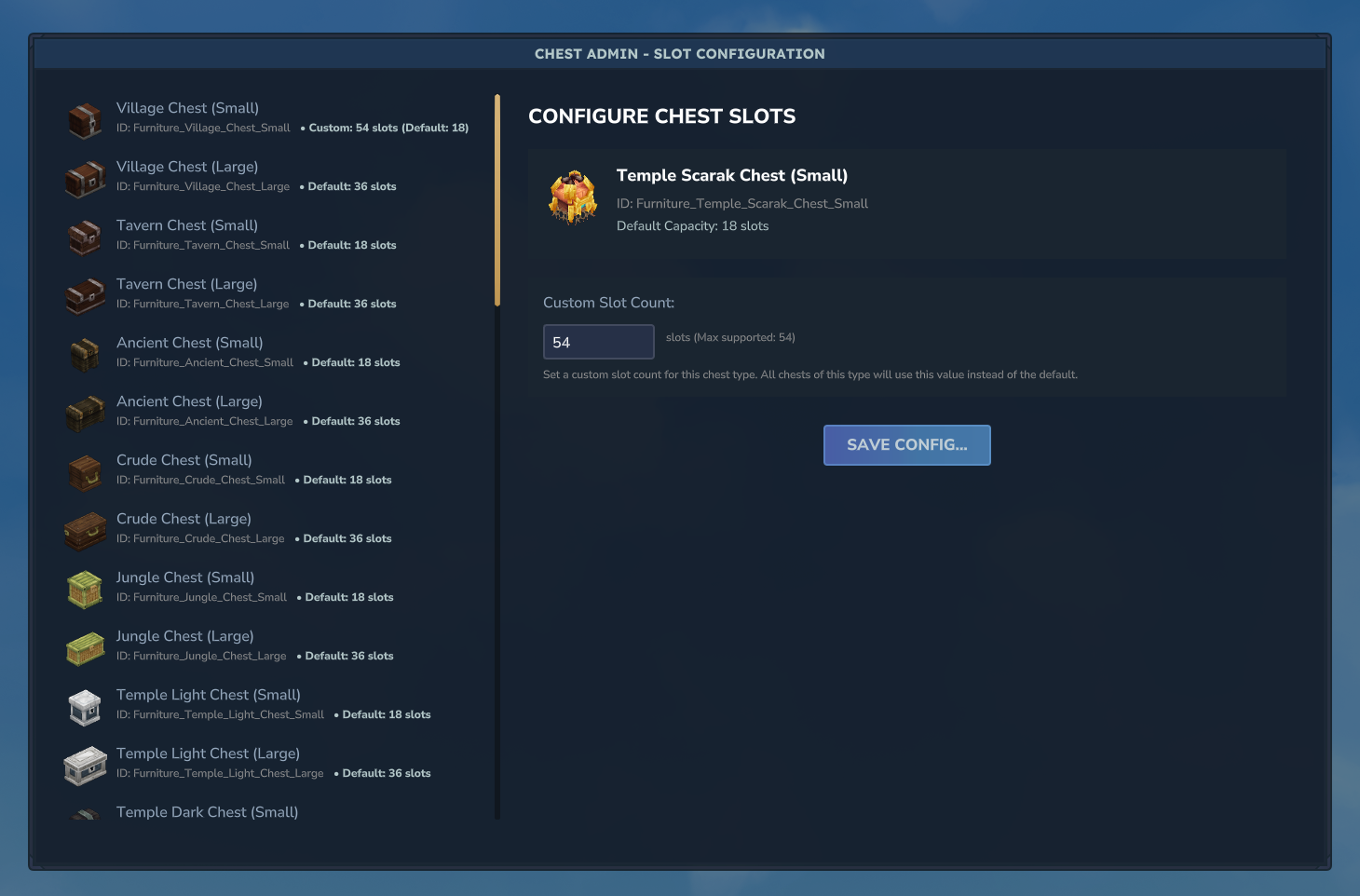
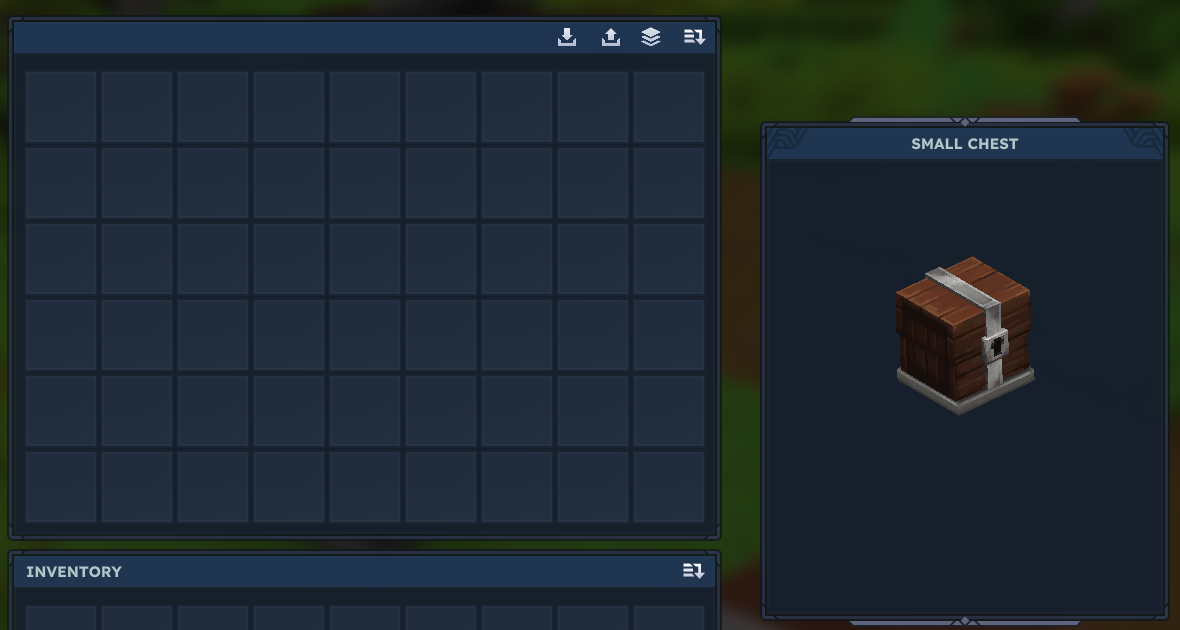
Installation
- Place the Custom Chest Slots JAR file into your Hytale server's plugins or mods folder.
- Restart the server to generate the default configuration files.
- Join your server as an admin and run
/chest adminto open the configuration menu. - Configure your desired chest types and slot counts.
- Restart your server to apply the changes.
Usage & Commands
How to use
- Join your server as an admin.
- Run the command
/chest adminto open the configuration menu. - Select a chest type from the list (e.g., "Village Chest", "Tavern Chest").
- Enter your desired slot count (recommended: 27, 36, 45, or 54).
- Click "Save Configuration".
- Restart your server to apply the changes.
- Place new chests – they will now have your custom capacity!
Important notes
- Maximum 54 slots – We are looking for a system where we can make this unlimited.
- Restart required – After saving your config, restart the server for changes to take full effect.
- New chests only – The changes apply to newly placed chests. Existing chests keep their original size.
- Persistent – Your settings are saved and will survive server restarts.
Configuration
Configuration
Custom Chest Slots uses an in-game admin menu for configuration. Run /chest admin to access
the configuration interface where you can:
- Select chest types from a dropdown list
- Set custom slot counts for each chest type
- Save your configuration with one click
Recommended slot counts
- 27 slots – Standard single chest size
- 36 slots – Slightly larger for more storage
- 45 slots – Medium-large capacity
- 54 slots – Maximum capacity (double chest equivalent)
Configuration workflow
- Open the admin menu with
/chest admin - Select a chest type from the list
- Enter your desired slot count
- Click "Save Configuration"
- Restart the server
- Place new chests to see the changes
Note: Configuration changes only apply to newly placed chests. Existing chests will maintain their original slot count until replaced.